Dropped a combo in a ranked Street Fighter match a while back, the exact kind of input I land in training mode without thinking. Checked the replay afterward and the timing looked right on my end. My Bluetooth controller just didn't agree. Switched to a cable that night out of frustration more than research, and honestly couldn't tell you scientifically whether it fixed anything, but I stopped dropping that specific combo.
That's the kind of anecdotal evidence every forum post about input lag is built on, mine included, so let's actually look at where real numbers come from instead of just trusting a gut feeling.
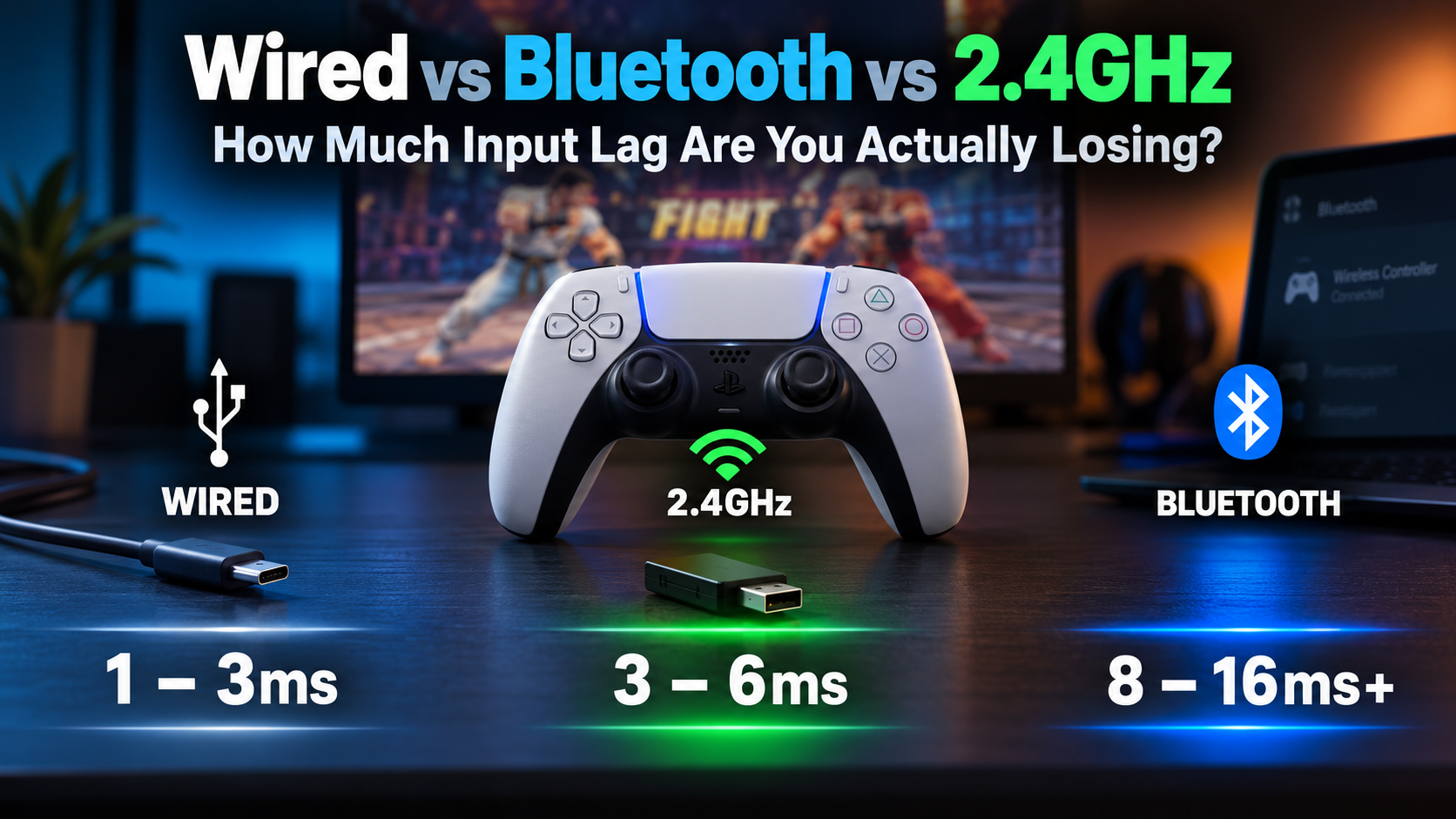
The short version:
- Wired: 1 to 3ms
- 2.4GHz wireless (Xbox Wireless Adapter, Logitech Lightspeed, Razer HyperSpeed): 3 to 6ms
- Bluetooth: 8ms up past 16ms, depending on the controller and radio interference
But averages hide the part that matters most, which is consistency, not the number on a spec sheet.
Where these numbers actually come from, and why they disagree with each other
Every "input lag test" you'll find online used different hardware, different measurement tools, and different definitions of where lag starts and stops, which is exactly why one site says Bluetooth adds 4ms and another says 16ms and both are technically right about their own setup.
One test I found worth trusting measured a DualSense in Street Fighter 6, USB-C against Bluetooth, using an oscilloscope and optical sensor rather than eyeballing a video recording. Bluetooth added roughly 4 to 5ms on average. Small number. But the same test flagged variance as the real issue, not the average, since Bluetooth transmits in packets and a dropped or corrupted one has to be resent rather than skipped entirely. An occasional spike well above baseline is what eats a frame-perfect input. A steady extra 4ms almost never does.
Xbox testing tells a rougher story. Wired USB-C sitting around 1 to 3ms against Bluetooth closer to 10 to 16ms is a bigger gap than the PlayStation numbers above, mostly because the official Xbox Wireless Adapter (and similar 2.4GHz proprietary systems like Logitech Lightspeed or Razer HyperSpeed) runs a stripped-down protocol built specifically for input.
Small packets, frequent updates, minimal handshaking. Bluetooth, being a general-purpose standard, carries encryption and profile negotiation overhead that has nothing to do with your button press and everything to do with Bluetooth needing to also work with headphones and keyboards and a dozen other device types it was never optimized around gaming for.
the wired quirk nobody mentions
Here's the one that surprised me researching this. A stock DualSense over USB doesn't automatically beat its own Bluetooth connection. Sony ships most units with a USB polling interval of 4ms by default, which works out to 250Hz, the same rate Bluetooth commonly runs at.
Wired still wins on consistency. It isn't subject to Bluetooth's retransmission behavior, but the raw number alone doesn't guarantee wired crushes wireless unless that interval gets manually adjusted. Almost every "wired beats wireless, obviously" guide skips this entirely and just asserts the conclusion.
Why pros still cable up even when their living room setup tests clean
If 2.4GHz wireless gets within 1 to 2ms of wired under normal conditions, and it does, why does nearly every competitive event still require a cable? One word: interference. Your living room has your controller and maybe a phone sharing the 2.4GHz band.
A tournament floor has hundreds of controllers, phones, and wireless peripherals fighting over the same narrow spectrum simultaneously, and that's exactly when a clean 3ms connection turns into unpredictable spikes well past 100ms. A pro would rather lock in a guaranteed 3ms every single time than gamble on a connection that's usually faster but occasionally collapses at the worst possible moment. Consistency beats a lower average the moment that average stops being guaranteed.
Does this even matter for you specifically
Human reaction time to a visual stimulus averages somewhere around 150 to 250 milliseconds, so a clean 4 to 8ms gap between Bluetooth and wired sits well below what you'd consciously notice in isolation. For story games, most platformers, casual sessions, this entire conversation barely matters.
It starts mattering in fighting games with frame-perfect windows, competitive shooters where a fraction of a second decides a gunfight, rhythm games where timing is the whole mechanic. The genre you're playing matters more than any number on a spec sheet, mine included above.
There's also a mobile wrinkle worth knowing if you play on a phone or tablet: Android's Bluetooth controller stack adds its own overhead on top of whatever the connection itself costs, sometimes another 20 to 40ms beyond what the same controller would show on a PC. That's part of why some mobile-first controllers skip Bluetooth entirely and connect over USB-C or Lightning instead.
Stop trusting my numbers and measure your own setup
Every figure above came from someone else's controller, someone else's Bluetooth adapter, someone else's amount of interference in their specific room. Yours will differ, sometimes by a lot, and there's genuinely no way to know by how much without checking.
Run our latency test wired first to set a baseline, then switch to Bluetooth or 2.4GHz and run it again. Our polling rate test is worth pairing with it too, since it shows the actual Hz your connection holds in real time rather than whatever number is printed on a box, and polling rate is what determines how often new input data even reaches the game to begin with. Having both readings side by side beats trusting a stranger's oscilloscope test on the internet, mine included.
If your Bluetooth number looks worse than it should
A few specific things push Bluetooth latency past its normal range:
- Other paired Bluetooth devices competing for bandwidth, a connected headset is a common one
- A Bluetooth adapter plugged into a rear USB port with poor line of sight to the controller
- Outdated Bluetooth drivers nobody's touched since the PC was first set up
Moving the adapter somewhere with a clearer line of sight, disconnecting unused Bluetooth peripherals during a session, and updating drivers through Device Manager clears up a meaningful share of "my wireless feels laggy" complaints before you'd need to touch anything resembling hardware.
I never did go back and test whether that Street Fighter combo would've landed on Bluetooth with a driver update and a closer adapter instead of just switching to a cable. Should have. Would've made a better story than "I got annoyed and plugged it in."